Post to your blog from the AI you already use.
Blirbit works inside Claude, Grok and Perplexity, with ChatGPT on the way. Talk a brain dump into the app on your phone, say "send it to Blirbit", and get an automated article in your voice, published to your website. No login, no dashboard, no blank page.
 Claude
 Grok
 Perplexity
 ChatGPT coming soon
https://www.blirbit.com/mcp
Why this changes everything
How it works
Connect once
Add Blirbit to your AI app. It takes about two minutes and you only do it once.Talk or paste
Say what's on your mind, paste notes or an old article, or drop a YouTube link.Blirbit does the rest
It writes the article in your voice and publishes it to your website, fully automated.Set it up
Pick your app. Every app uses the same Blirbit sign-in, so step 3 looks the same everywhere.
Open Connectors
In Claude, go to Settings → Customize → Connectors, click Add, then Add custom connector.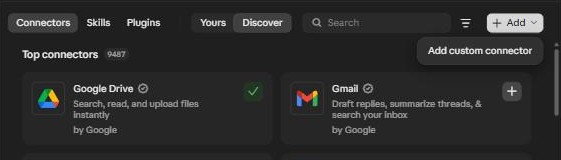
Paste the Blirbit address
Name it Blirbit, paste https://www.blirbit.com/mcp, click Continue, then Add.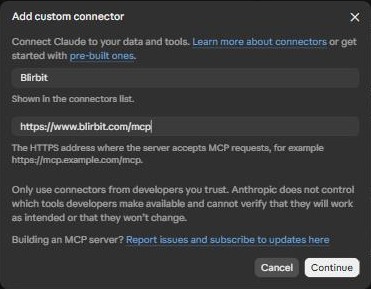
Sign in to Blirbit and tap Allow
Click Connect. Sign in with Google or an email link (new here? that creates your free account), then tap Allow.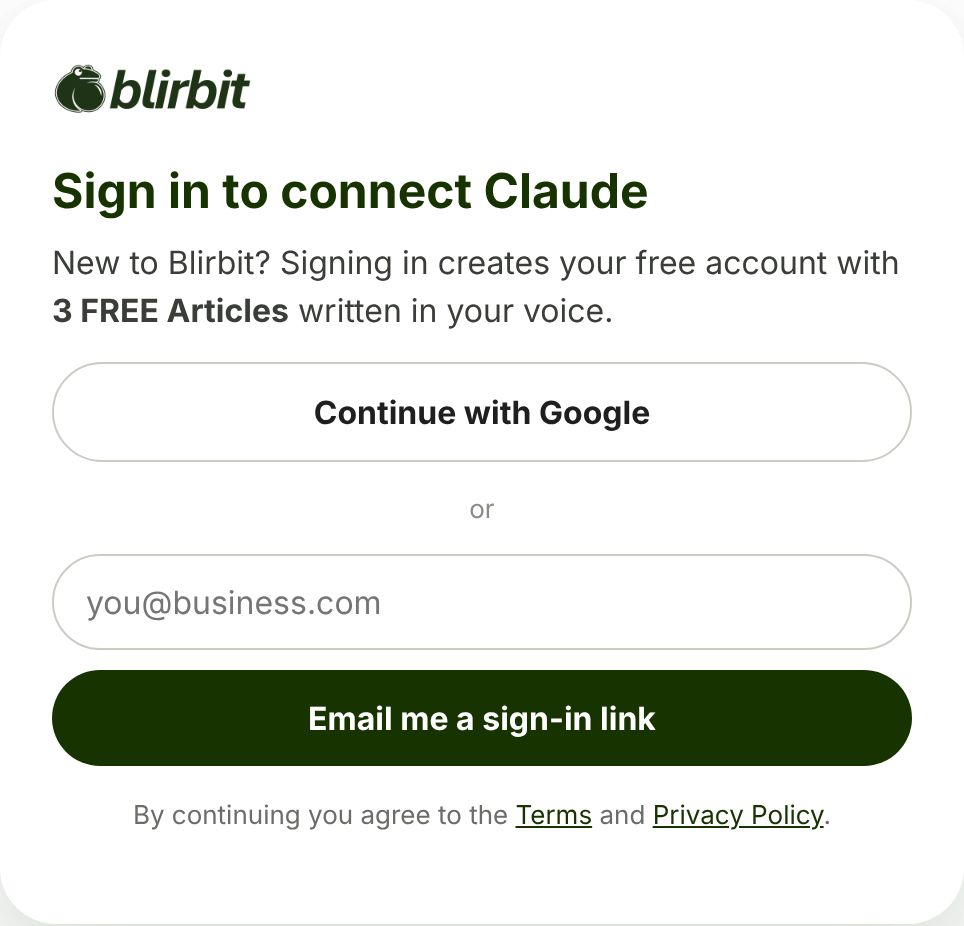

Choose how much Claude asks first
Claude lists every Blirbit action. Leave "Needs approval" on and Claude checks with you before it sends anything.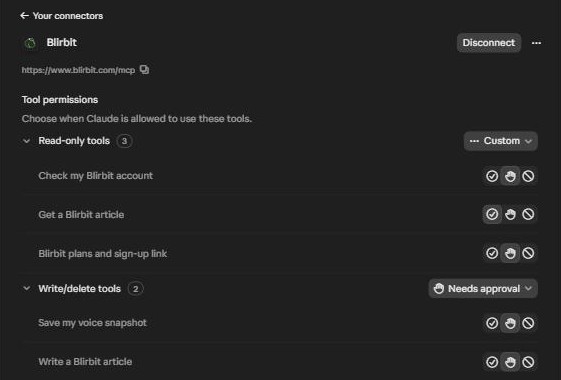
Talk, send, done
In any chat, say something like:"Send this brain dump to Blirbit as an article: so here's the thing nobody tells small business owners about blogging…"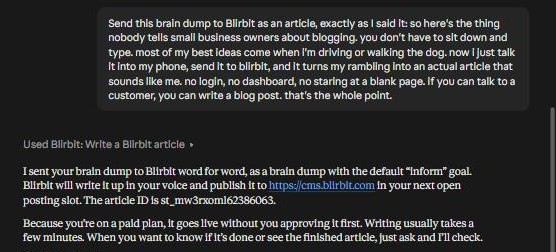
Open Connectors
Go to grok.com/connectors, click New Connector, then Custom.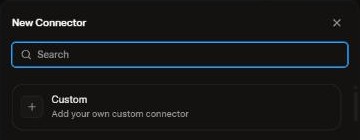
Paste the Blirbit address
Name it Blirbit, paste https://www.blirbit.com/mcp and click Add Connector.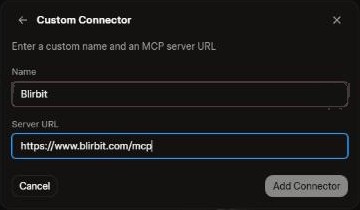
Sign in to Blirbit and tap Allow
A Blirbit window opens. Sign in with Google or an email link, then tap Allow. Blirbit shows up under Connected.
Ask Grok
Try:"Use my Blirbit connector to check my Blirbit account."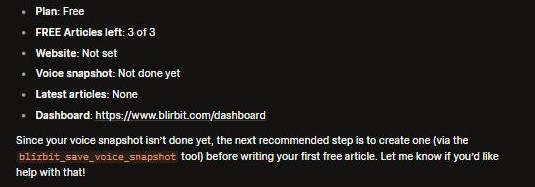
Download the Blirbit plugin
Perplexity installs connectors as plugins. Ours bundles the Blirbit connector with a Blirbit skill that teaches Perplexity how to use it.
Download blirbit-ai-plugin.zipUpload it
In Perplexity, open Plugins, click Add custom → Upload plugin or skill, choose the file and click Submit.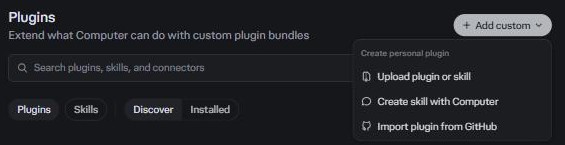
Connect and Allow
On the Blirbit plugin page, click + Connect, sign in to Blirbit and tap Allow. You'll see a check mark next to blirbit.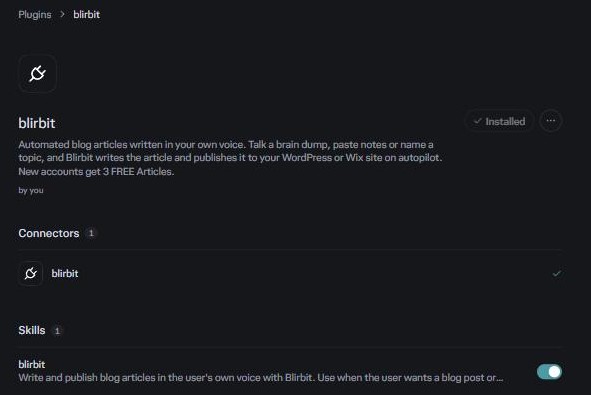
Ask Perplexity
Try:"Use my Blirbit connector to check my Blirbit account."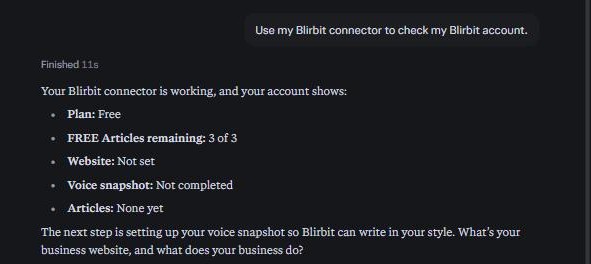
ChatGPT is coming soon
ChatGPT only lets most people add apps from its own App Directory. We're bringing Blirbit there next. Want to know the day it's live? Get started with your 3 FREE Articles and we'll tell you first.
Get 3 FREE ArticlesOn a ChatGPT Business, Enterprise or Edu plan? Your workspace may already let you add the Blirbit address yourself in developer mode.
Questions
Does my AI app's plan matter?
Some apps only allow your own connectors on certain plans, and these rules change often. If you don't see the option, check your app's plan.
Is it safe?
You sign in to Blirbit yourself and choose Allow. Your AI only gets the Blirbit actions you see on the Allow screen, it asks before it sends anything, and you can disconnect Blirbit any time.
Do paying members' articles go live right away?
Yes. Like everything else in Blirbit, they're written in your voice and published to your website at your next open posting slot. Free accounts get their FREE Articles in their Blirbit dashboard instead.
What does Blirbit see from my chats?
Only what you or your AI send to a Blirbit tool: your account check, voice snapshot answers and the content you want turned into an article. Blirbit never sees your other conversations, your AI's memory or your files. Details are in section 3 of our Privacy Policy.
Something isn't working. Who do I contact?
Email hello@blirbit.com or call 626-765-4504. Tell us which AI app you're using and what you asked it to do.
What does it cost?
Nothing extra. It's the same Blirbit account and plans. New accounts start with 3 FREE Articles.
Your next blog post is one voice note away.
Connect Blirbit to your AI, talk it out, and let the automated engine do the rest.
How brain dumps work